
Google Chrome Android Update Features New Gemini Navigation Button
Google Chrome for Android is rolling out an updated interface, featuring a dual-bar design and a prominent new button for its Gemini AI assistant. The change aims to integrate AI more directly into the browsing experience.

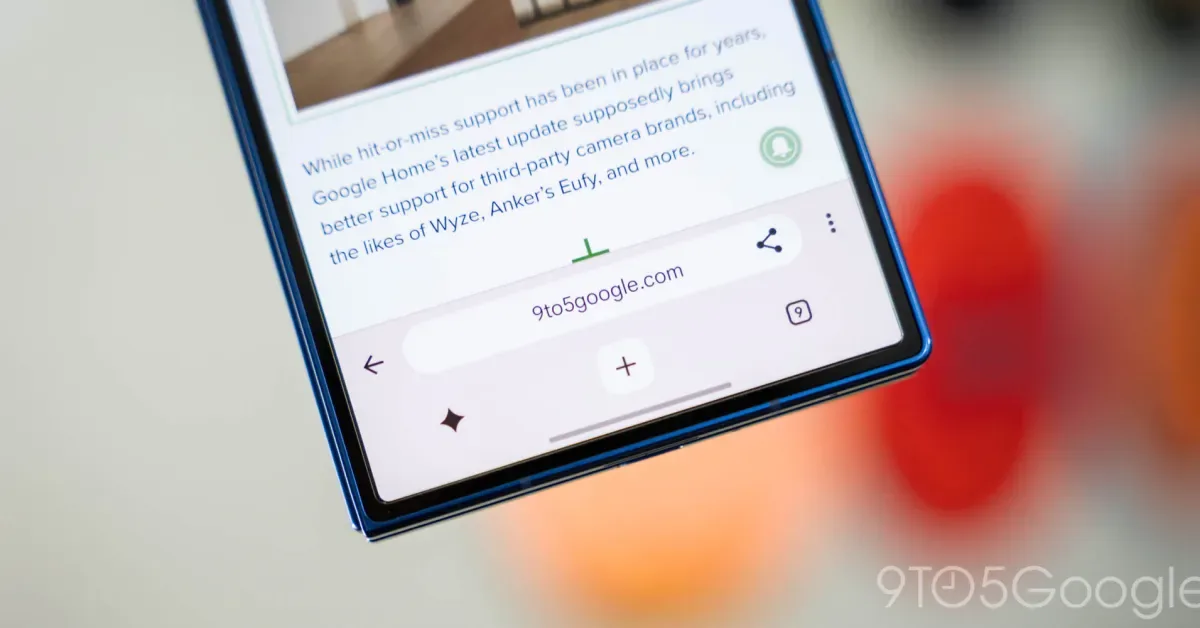
Google Chrome is beginning to roll out a significant interface revision for its Android application, introducing a dual-bar navigation system and a dedicated button for its Gemini AI assistant. This update, now appearing in the stable channel, aims to make AI functionalities more accessible within the browser.
The redesigned UI features an upper bar housing the URL, back button, share option, and overflow menu. A second, lower bar is dedicated to functions like opening a new tab, managing existing tabs, and a new shortcut prominently displaying the Gemini AI. This bottom bar, while still offering a full layout, has been made slightly thicker to accommodate the new AI button.
Google first announced plans to integrate Gemini into Chrome for Android in May, initially showcasing a UI that placed a Gemini button alongside the tab management control. The current rollout appears to be gradual, as the new interface is not yet universally available, even on updated devices running the latest stable version.
Gemini Integration Context
The introduction of a direct Gemini button signifies Google's push to embed artificial intelligence more deeply into its core products. Gemini, Google's own advanced AI model, is being positioned as a versatile tool capable of assisting with a wide range of tasks. By placing a shortcut directly within the Chrome navigation, the company hopes to encourage users to explore and utilize its AI capabilities more frequently during their web browsing sessions.
This strategic move by Google is part of a broader industry trend where technology companies are vying to integrate AI assistants and generative AI features into their platforms. The goal is to enhance user experience, provide proactive assistance, and differentiate their offerings in a competitive market. For users, this could mean quicker access to information, personalized browsing suggestions, and streamlined task completion directly from their browser.
The rollout began earlier than initially anticipated by some, with reports of a similar interface appearing on social media platforms like X (formerly Twitter) last month. Minor variations in these early sightings were attributed to factors such as the homepage shortcut's status. Google has also tested similar designs for its iPhone version, indicating a cross-platform approach to this AI integration.
Users are encouraged to check their Google Chrome app for updates and to see if the new interface has reached their device. The company has been actively refining Chrome's user experience, with recent efforts including enabling support for Netflix in 4K on certain devices and exploring methods to update the browser without requiring a full restart.