
iOS 27 Compact Clock Frees Up Lock Screen for Wallpaper
Apple's iOS 27 introduces a new compact clock option for the Lock Screen, allowing more of your chosen wallpaper to be visible. Users can easily switch between the full-size and compact clock styles.

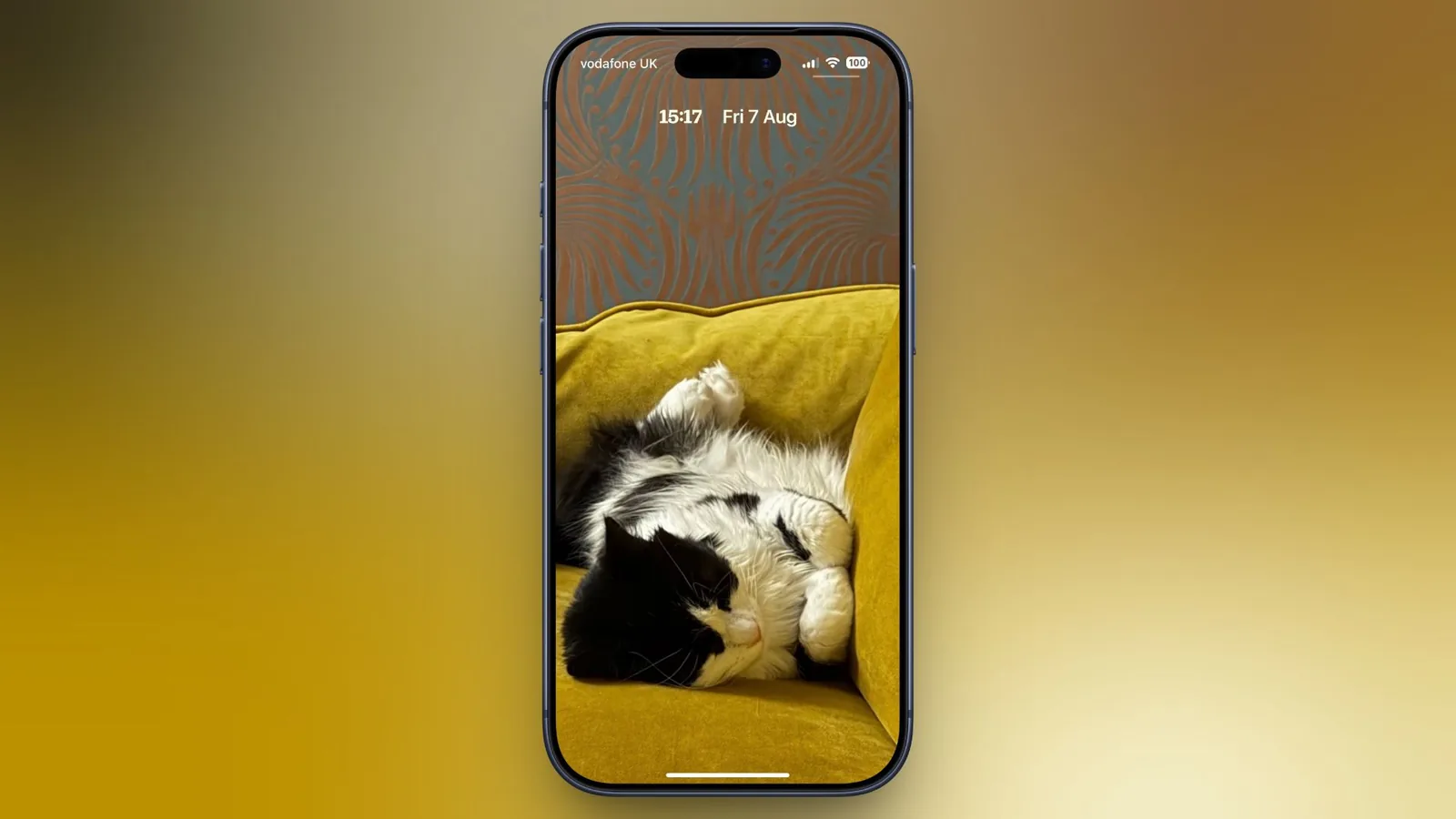
Apple is offering iPhone users more control over their Lock Screen's appearance with a new compact clock option in iOS 27. This feature allows the time to shrink significantly and move to the top of the screen, making more room for custom wallpapers. Previously, the Lock Screen clock in iOS 26 could dominate the display, often obscuring parts of a chosen image.
The new compact mode tucks the time into the top row, placing it alongside the date. This design shift prioritizes showcasing the full framing and detail of a user's selected wallpaper, a significant change for those who value their background image's aesthetic. The compact clock retains existing font, weight, and color customizations, offering a streamlined yet personalized look.
Switching to Compact Clock Mode
Enabling the compact clock is a straightforward process within the Lock Screen customization menu. To activate it, users must first touch and hold their current Lock Screen to enter customization mode. Tapping on the existing clock display will open the Font & Color panel. Within this panel, a new icon resembling two horizontal bars, located in the top-right corner, serves as the toggle for compact mode. Users can preview the effect on their wallpaper before finalizing the change by tapping away from the panel and then selecting 'Done' in the upper right corner.
To revert to the larger clock display, users simply need to revisit the same icon within the Font & Color panel. This option provides flexibility, allowing users to switch between clock styles as needed, perhaps for different Focus modes or simply to change the look of their iPhone.
It is important to note that the compact clock setting is applied on a per-Lock Screen basis. This means users can set a compact clock for one wallpaper and maintain the standard, larger clock for another. While the compact mode offers a cleaner aesthetic, it does limit access to the 'Liquid Glass' slider, a feature available in the full-size clock settings.
The introduction of the compact clock in iOS 27 reflects Apple's ongoing efforts to enhance iPhone personalization. The ability to give wallpapers more prominence responds to user feedback and the growing trend of highly customized smartphone interfaces. As Apple continues to refine its mobile operating system, features like this aim to provide users with a more visually engaging and personal device experience. The company has been steadily introducing more customization options since the initial rollout of Lock Screen widgets and dynamic wallpapers, further empowering users to make their devices unique.
iOS 27 is currently available in public beta, with a general release anticipated for September 2026. This update brings several other enhancements beyond Lock Screen customization, including new features for the Messages app and significant upgrades to the Apple Maps application, promising a robust feature set for the upcoming operating system.